HeadRush Looperboard | Course
Everything you NEED to KNOW about the HeadRush Looperboard
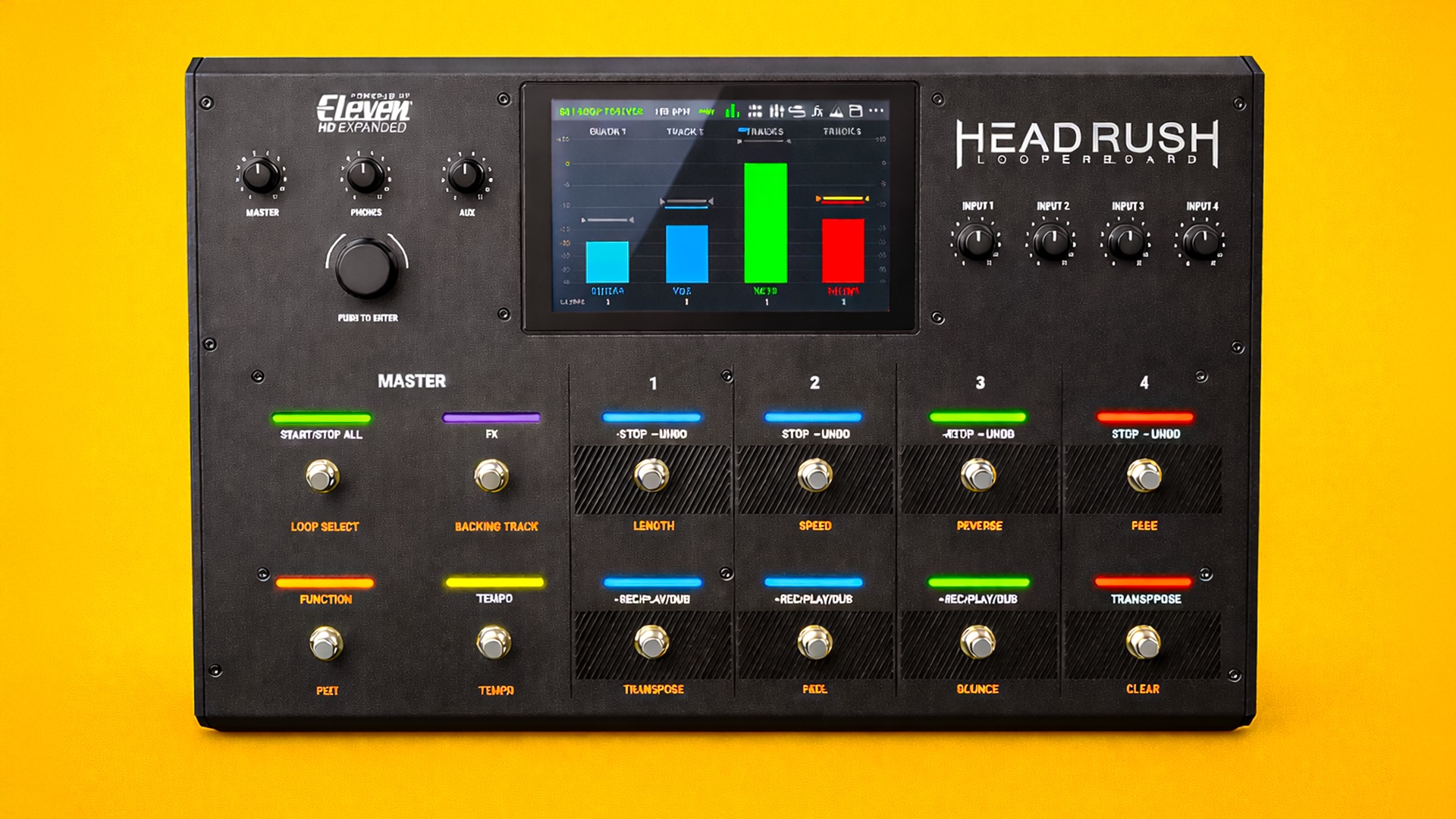
Skip the boring manual and jump straight into making music with this hands-on online course. This hands-on course is built for the Headrush Looperboard, showing you how to turn it from a big piece of hardware into a fast, musical performance tool. You’ll learn how to set it up properly, understand its workflow, and use it confidently for live looping, songwriting, and practice.
We’ll cover multi-track looping, touch-screen control, effects, inputs and outputs, MIDI sync, and real-world performance techniques that actually translate on stage. You’ll uncover features that are easy to miss, tighten up your timing and workflow, and get more creative without fighting the interface.
By the end, the Looperboard won’t feel bulky or confusing, it’ll feel like a solid, reliable centerpiece for your looping setup.

IMMEDIATE ACCESS
Start instantly. Get full access the moment
you check out. No waiting, no delays.

14 DAY GUARANTEE
Try it risk-free. If you’re not satisfied within 14 days, we’ll give you a full refund.
✅ Used by thousands of
musicians worldwide

SECURE PURCHASE
Safe & encrypted payments. Your information is protected with industry-standard security.
A Simple Guide To HeadRush Looperboard
-
Introduction
1 lesson- Introduction - Welcome to the Class!
-
Basic Operation
2 lessons- Main Features and Overview of the HeadRush Looperboard
- Rear Panel
-
Operation
5 lessons- Timeline Pages
- Mixer Page
- Navigation Menu - Saving and Loading Presets
- Looper Modes
- Importing Audio
-
FX Racks
4 lessons- Applying FX
- Editing FX
- FX Footswitch Assignment
- Expression Pedal Assignment
-
Loop Settings
6 lessons- Tempo and Click Track Settings
- Track Length and Quantize Settings
- Track Start and Stop Modes
- One Shot and Decay Settings
- Time-Stretch Settings
- Customising Footswitches
-
Audio Routing
4 lessons- Input Setup
- Monitor Setup
- Track Setup
- Output Setup
-
Function Footswitches
11 lessons- Length
- Speed
- Reverse
- Fade
- Transpose
- Peel
- Bounce
- Clear
- Loop Select
- Backing Track and Backing Track Player
- Tuner
-
USB Modes
2 lessons- Transferring Files and Settings
- Recording - Audio Interface Setup
-
MIDI Settings
2 lessons- External MIDI Foot Remote Setup - Extra Footswitches
- External MIDI Clock Receive
-
Global Settings
5 lessons- General Tab
- Footswitch Control Tab - REC/PLAY/DUB Settings
- Footswitch Control Tab - STOP/UNDO Settings
- Footswitch Control Tab - START/STOP ALL Settings
- Audio Tab
-
Final Thoughts
2 lessons- Thanks for Watching!
- Leave a Review