HeadRush MX-5 | Course
Everything you NEED to KNOW about the HeadRush MX-5
Skip the boring manual and jump straight into making music with this hands-on online course. Built for the HeadRush MX-5 and is all about getting professional results out of a compact unit fast. If you’ve ever felt like the MX-5 has more potential than you’re actually using, this course shows you how to unlock it.
You’ll learn how the signal flow really works, how to build amp and effect chains that sound right immediately, and how to create presets that translate to rehearsals, gigs, and recording. We’ll cover touch-screen workflow, scenes, footswitch assignments, expression control, global settings, and smart ways to integrate the MX-5 into different setups.
No endless tweaking. No generic presets. Just clear, practical guidance that helps you get consistent, stage-ready tones without the frustration.
By the end, the MX-5 won’t feel small or limited it’ll feel focused, powerful, and ready to perform.

IMMEDIATE ACCESS
Start instantly. Get full access the moment
you check out. No waiting, no delays.

14 DAY GUARANTEE
Try it risk-free. If you’re not satisfied within 14 days, we’ll give you a full refund.
✅ Used by thousands of
musicians worldwide

SECURE PURCHASE
Safe & encrypted payments. Your information is protected with industry-standard security.
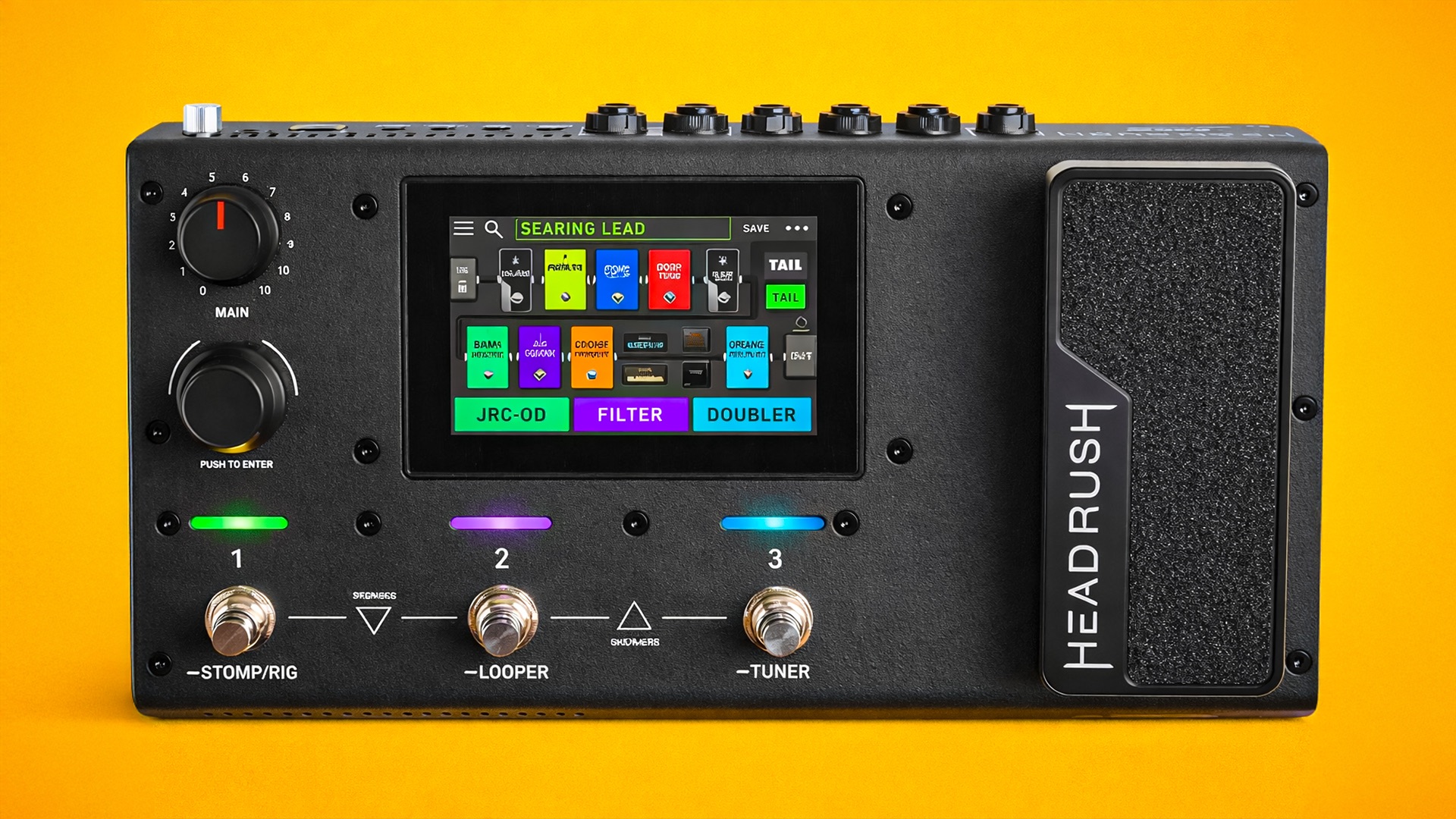
A Simple Guide To HeadRush MX-5
-
Basic Operation
5 lessons- Basic Overview
- Understanding the Touch Screen
- Reverb/Delay Tail Spillover
- Rear Panel
- Signal Path (Multi Amps and Signal Chains)
-
Rigs
4 lessons- Creating a Rig
- Saving a Rig
- Deleting a Rig and Other Tips
- Creating a Custom FX Block
-
Hardware Assign
5 lessons- Customising Footswitch Modes
- Creating Scenes and Automation
- How to Rename a Scene
- Expression Pedal
- Advanced Expression Pedal Settings
-
Adjusting Settings
5 lessons- Global Settings
- Setting Up External Expression Pedal
- Auto Assign and Additional Settings
- Global EQ
- Factory Reset
-
Setlists
4 lessons- Getting Started with Setlists
- Hands Free Mode
- Tuner/Tempo
- Looper
-
USB and MIDI
4 lessons- Recording via USB
- How to Setup Up an External MIDI Controller
- Extra MIDI Settings
- Updating Firmware
-
Final Thoughts
2 lessons- Thanks for Watching
- Leave a Review