BOSS RC-300 | Course
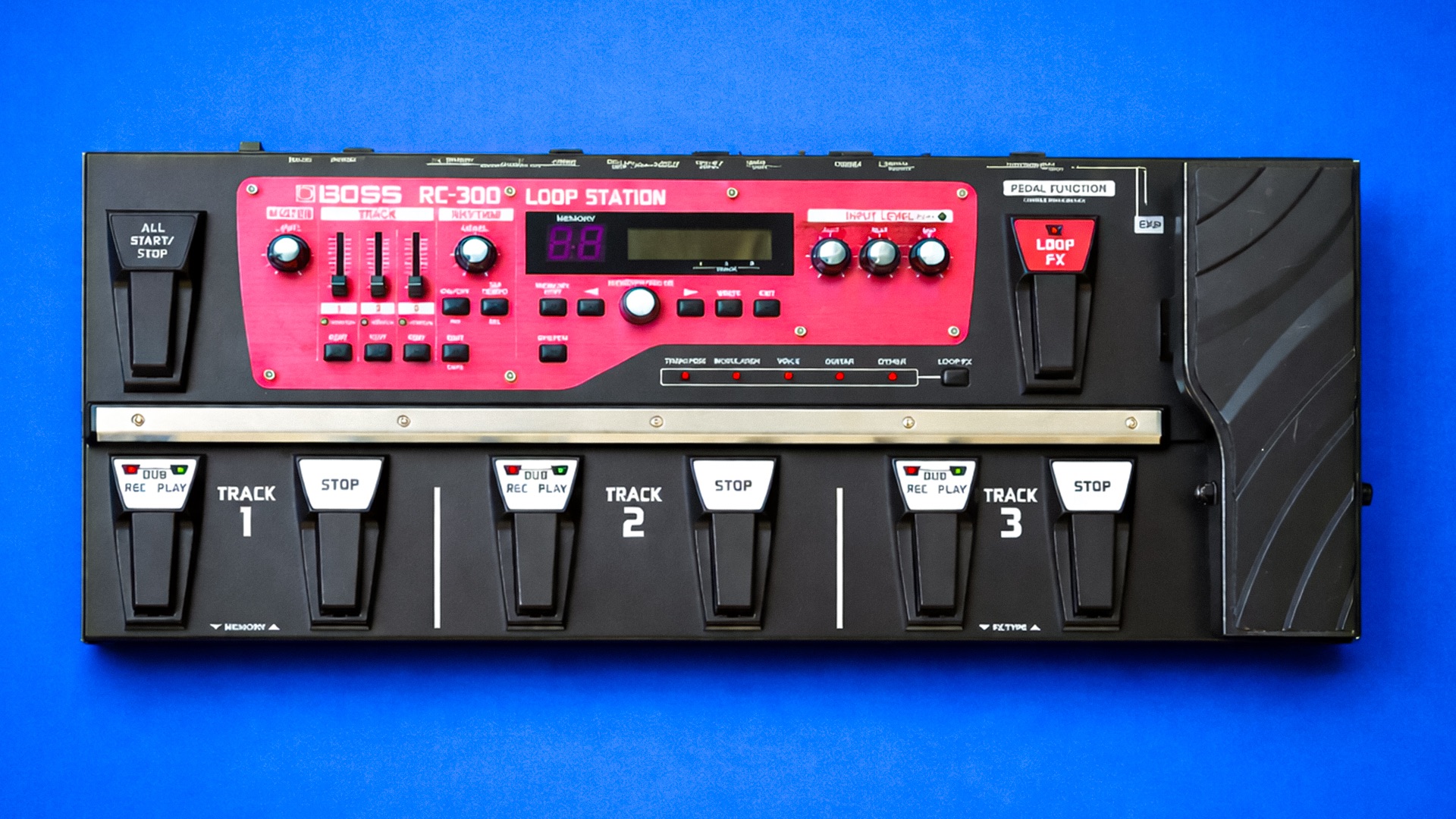
Everything you NEED to KNOW about the BOSS RC-300 Loop Station
Skip the boring manual and jump straight into making music with this hands-on online course. Get real results from the BOSS RC-300, one of the most powerful and misunderstood loop stations ever made. If you’ve owned one for years or just picked one up this course shows you how to actually use it the way it was meant to be used.
You’ll learn how to set up the three-track workflow properly, lock in your timing, control transitions, and build full arrangements that sound intentional not messy. We cover inputs, outputs, MIDI sync, expression control, rhythm usage, and proven live-performance techniques that turn the RC-300 into a serious stage instrument.
No menu diving for the sake of it. No theory overload. Just practical, step-by-step guidance that saves you hours of frustration and unlocks the power most players never tap into.
By the end, the RC-300 won’t feel dated or overwhelming it’ll feel solid, musical, and completely under your control.

IMMEDIATE ACCESS
Start instantly. Get full access the moment
you check out. No waiting, no delays.

14 DAY GUARANTEE
Try it risk-free. If you’re not satisfied within 14 days, we’ll give you a full refund.
✅ Used by thousands of
musicians worldwide

SECURE PURCHASE
Safe & encrypted payments. Your information is protected with industry-standard security.
A Simple Guide To BOSS RC-300
-
Introduction
1 lesson- Introduction
-
Basic Operation
2 lessons- Main Features and Overview of the BOSS RC-300
- Setting Up Instruments - Input Level Settings
-
Saving Memory Banks
5 lessons- Saving a Phrase Memory
- Renaming a Phrase Memory
- Exchanging Phrase Memories (Set Rearrange)
- Copy Track
- Deleting a Phrase Memory
-
Track Settings
10 lessons- Play Modes - Loop vs One Shot
- Reverse
- Loop Measures
- Stop Modes
- Fade Out Time
- Record Level
- Track Pan
- Loop Sync
- Tempo Sync
- Loop Track Output Modes
-
Phrase Memory Settings
11 lessons- Input/Output Modes
- Overdub Modes
- Record Modes
- Tempo
- Fade Out Time
- Auto Record
- Single Track - Play Mode
- Track Change
- Reverb
- External Foot Controller Setup - Assign Controls
- Expression Pedal Setup - Assign Controls
-
Rhythm Settings
6 lessons- Rhythm Patterns
- Time Signatures
- Record Count
- Play Count
- Rhythm Stop
- Rhythm Output
-
Loop FX
5 lessons- Loop Effects Overview and Effect Target
- Adjusting Loop FX Parameters
- Loop FX Foot Switch Reassign
- Expression Pedal Reassign Setup - Assign Controls
- Expression Pedal Calibration (BONUS)
-
System Settings
7 lessons- LCD Contrast and Loop FX Button Modes
- Memory Extent
- Knob Mode
- Record Mode
- Setting the Outputs Options for All Phrase Memories
- Sub Output Level
- Auto Off
-
Connecting your BOSS RC-300 to a Computer (USB Modes)
5 lessons- Backing Up the BOSS RC-300 - Mass Storage
- Importing Samples onto the BOSS RC-300 Loop Station
- Installing USB Driver for BOSS RC-300
- USB Audio Mode - Using the BOSS RC-300 as an Audio Interface in a DAW
- USB In and Out Level and Audio Routing Options
-
MIDI Settings
4 lessons- Introduction to the MIDI System Settings and MIDI Channels
- How to Setup External MIDI Foot Controllers with the BOSS RC-300!
- MIDI Program Change
- How to MIDI Sync TWO BOSS RC-300's to create a 6 Track Loop Pedal!
-
Final Thoughts
2 lessons- Thanks for Watching!
- Leave a Review