BOSS RC-505mkII | Course
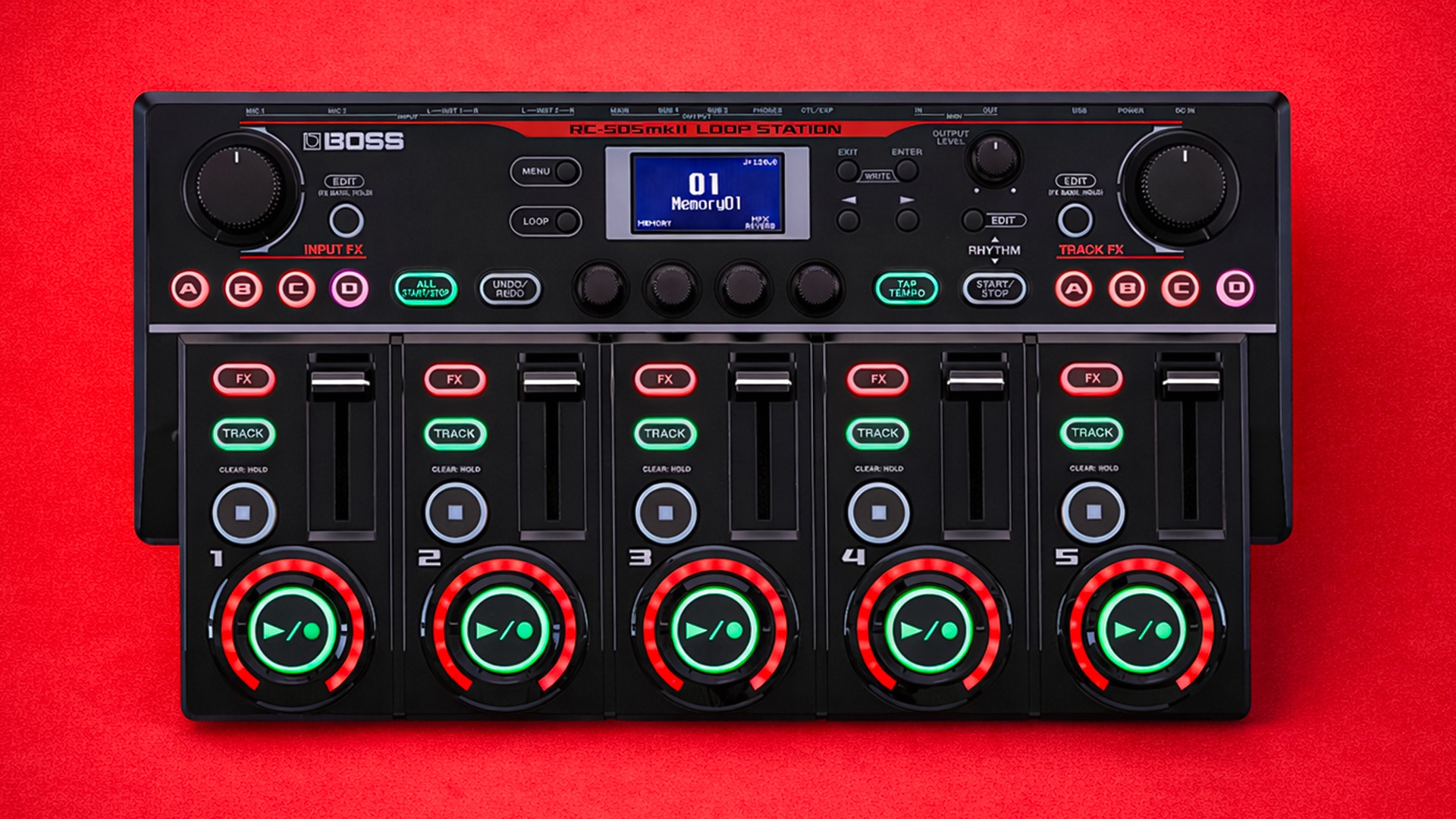
Everything you NEED to KNOW about the BOSS RC-505mkII
Skip the boring manual and jump straight into making music with this hands-on online course. Built specifically for the BOSS RC-505mkII, taking you from the essentials to advanced looping workflows without the headache. You’ll learn how to set it up properly, understand how its engine really works, and use it confidently for live performance and studio creation.
We’ll break down five-track looping, input routing, effects control, MIDI integration, rhythm features, and performance techniques used by serious loop artists. You’ll uncover deep functions most users miss, speed up your workflow, and push the RC-505mkII far beyond basic looping.
By the end, it won’t feel like a complex tabletop looper it’ll feel like a powerful instrument you’re fully in control of.

IMMEDIATE ACCESS
Start instantly. Get full access the moment
you check out. No waiting, no delays.

14 DAY GUARANTEE
Try it risk-free. If you’re not satisfied within 14 days, we’ll give you a full refund.
✅ Used by thousands of
musicians worldwide

SECURE PURCHASE
Safe & encrypted payments. Your information is protected with industry-standard security.
A Simple Guide To BOSS RC-505mkII
-
Introduction
2 lessons- Aims and Objectives - Welcome to the Course
- How to Factory Reset
-
Basic Operation
5 lessons- Main Features and Overview of BOSS RC-505mkII Compared to BOSS RC-505
- Basic Operation
- Performing with BOSS RC-505mkII Loop Lights UndoRedo Clear
- Play Screen
- Adjusting Input/Output Settings
-
Saving Memory Banks
3 lessons- Renaming a Phrase Memory
- Saving a Phrase Memory
- Deleting a Phrase Memory
-
Phrase Memory Settings
6 lessons- Editing Phrase Memory Settings
- Track Record Modes and Loop Quantize
- Auto Record
- What is Bounce Track and Bounce In - New Feature
- Loop Select - All Start and Stop
- Loop Length
-
Track Settings
8 lessons- Playing a Track Backwards Reverse and One Shot
- Track Play and Stop Modes
- Overdub Modes
- Track Change
- Adjusting Playback Level and Track Position Track Level and Pan
- Loop Sync and Tempo Sync
- Loop Track Measure
- Audio Routing with Track Input Options - New Feature
-
Rhythm Settings
5 lessons- Choosing Patterns and Variations for your Performance
- Customising Rhythm Sounds - Intro's + Endings + Fills
- Rhythm Start Modes and Count In
- Rhythm Stop Modes
- Adjusting Rhythm Level and Shortcut Tips
-
System Settings - (Menu)
8 lessons- Input and Output
- How to Setup an External Footswitch
- How to Setup an External Expression Pedal
- Using Mark Back - New Feature
- Using Mark Back with an External Footswitch
- Understanding Pedal Control Functions
- All Clear Preferences and Quick Clear
- Loop Light Indicators
-
USB and MIDI Settings
4 lessons- Update BOSS RC-505mkii Loop Station
- Backing Up your BOSS RC-505mkii and Importing Samples
- USB Audio Interface
- Understanding MIDI Settings
-
Final Thoughts
2 lessons- Thanks for Watching
- Leave a Review